

API Access
Testomat.io has an API you can use to connect your own tools to your projects, automate work, and pull data out. Requests and responses follow the JSON API standard.
Access tokens
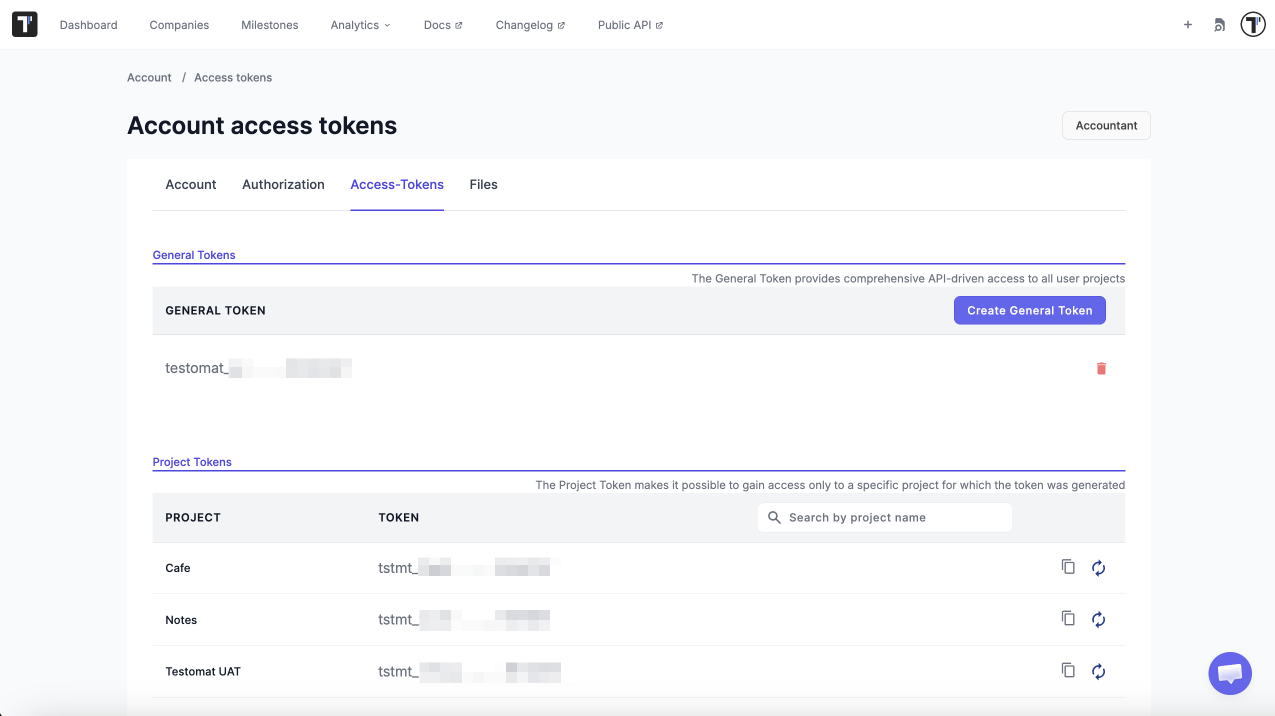
Section titled “Access tokens”Access to the API goes through access tokens. Only a system or a person with a token can reach your projects. There are two types of tokens.
| Token | What it opens | Use it for |
|---|---|---|
| General token | All projects in your account | Admin work and automation across several projects |
| Project token | One project | Importing tests and reporting results |
Log in to the API
Section titled “Log in to the API”Every API call needs a JWT token. You get one by logging in first.
-
Send a login request. Use your API token:
Terminal window POST /api/login{"api_token": "testomat_EXAMPLETOKENt7dp5VFPR_h8b8SO12EXAMPLETOKEN"};Or use your email and password:
Terminal window POST /api/login{"email": "test.testomat@gmail.com","password": "Test123!"}; -
Take the JWT from the response:
{"jwt": "eyJhbGciOiJIUzI1NiIsInR5cCI6IkpXVCJ9"} -
Put that JWT in the Authorization header of every request you send next.
Read suites and tests
Section titled “Read suites and tests”Suites sit inside other suites, so one request is not enough. You build the tree step by step.
-
Ask for the root suites:
Terminal window GET /api/<project_name>/suites -
Take each suite ID from the response and ask for that suite:
Terminal window GET /api/<project_name>/suites/:suite_id -
Repeat step 2 for every child suite you get back, until nothing new comes. Each suite response holds the suite metadata (name, ID, description, and so on), the IDs of its child suites, and the tests inside it.
Work with runs and results
Section titled “Work with runs and results”All runs in a project:
GET /api/{project_id}/runsOne run by its ID:
GET /api/{project_id}/run/{id}All test results from one run:
GET /api/{project_id}/testruns?run_id={run_id}Public API v2
Section titled “Public API v2”Public API v2 uses the same request and response shape for every endpoint. That makes it easier to write an integration and easier for an AI agent to use. It supports requests to a branch, grouped counts, run statistics, analytics, and pagination. For additional information see Testomat.io API Reference.
Testomat.io MCP Server v2.0
Section titled “Testomat.io MCP Server v2.0”The MCP Server speaks the Model Context Protocol, so AI assistants can work with Public API v2 directly. It can do the following:
- Full CRUD support for core entities.
- Read-only tags access.
- Issues management.
- Smart search.
- Issue linking.
- API compatibility layer.
- Run management.
- TQL-based search standardization.
- Safe TQL usage guidance.
Importing and reporting
Section titled “Importing and reporting”Importing and reporting use a project token, not a JWT. One token opens one project, which is all these operations need: sending tests into a project, and reporting results back to it.