

Suite PDF export
Any suite can be downloaded as a PDF. Use it to hand test documentation to reviewers, auditors, or stakeholders who do not have access to the platform.
Export a suite
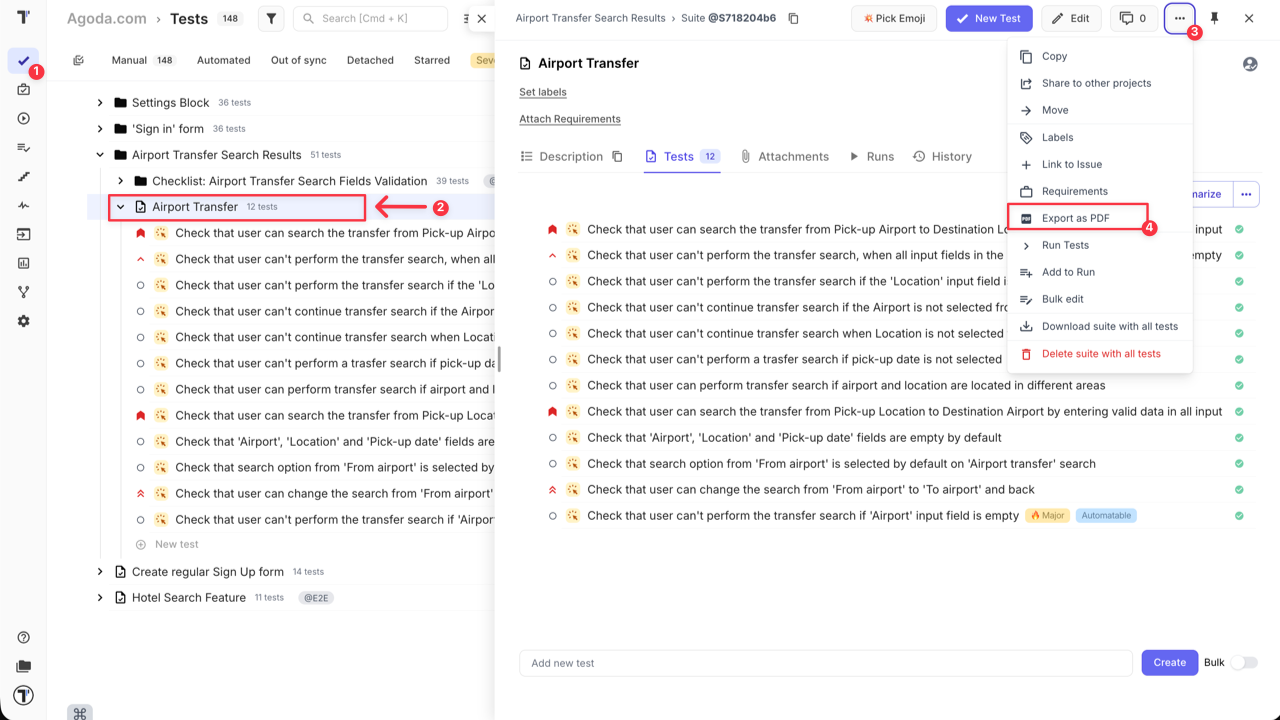
Section titled “Export a suite”- Go to the Tests page.
- Open the suite you want to export.
- Click the Extra menu button.
- Select Export as PDF.
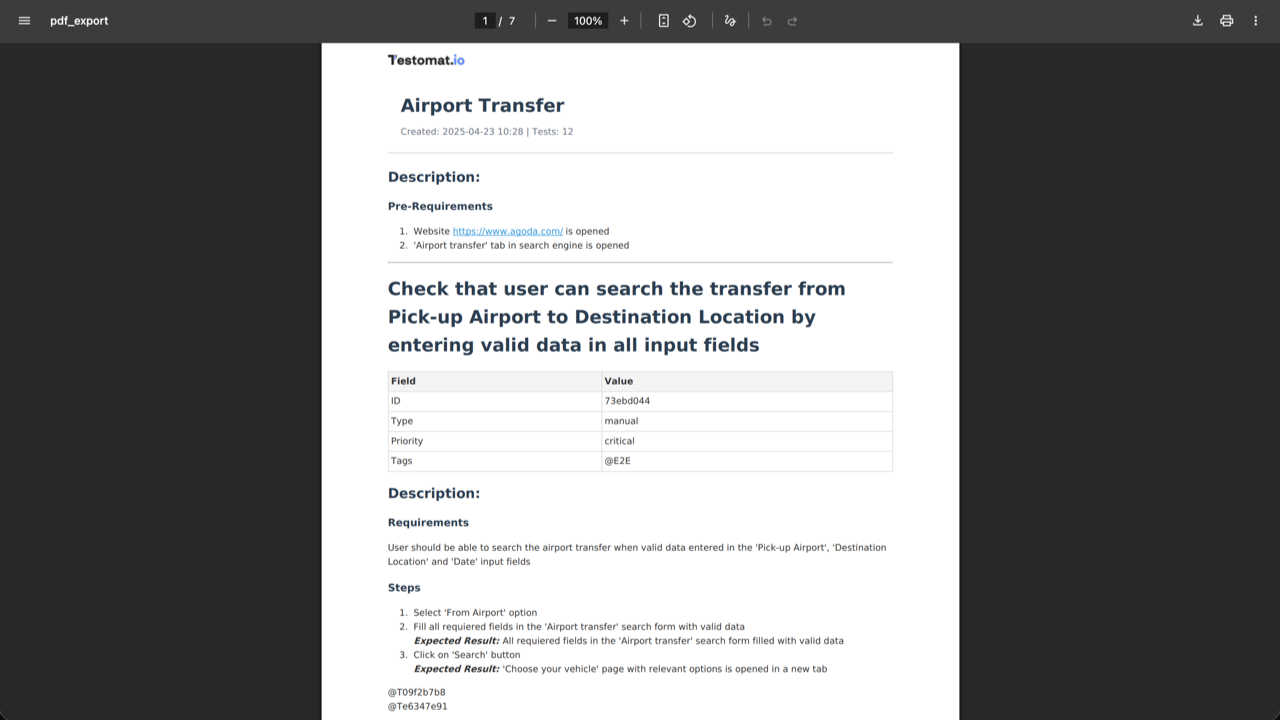
The PDF downloads to your machine.
What the export contains
Section titled “What the export contains”The file captures the whole suite — every test case in it, with its ID, type, steps, expected results, and screenshots.
PDF, spreadsheet, or share
Section titled “PDF, spreadsheet, or share”Three features get test content out of a project, and they suit different readers.
| What you get | Best for | |
|---|---|---|
| Export as PDF | A formatted document, frozen at export time | A reviewer or auditor who needs to read the tests |
| Export to Spreadsheet | An Excel file of the tests you select | Data you want to sort, filter, or import elsewhere |
| Share | Live, read-only access in another project | A team that needs the tests to stay current |
The PDF is a snapshot, which is exactly why it works for an audit trail — it records what the suite said on the day you exported it. It is the wrong choice when the reader needs the current version next month.
See Export to Spreadsheet for the Excel export and Sharing tests and suites for live access.